Account
When you create or join a HappyIO community, you create a HappyIO account. Your HappyIO account connects all communities associated with your account, for workspaces that you own, or communities you have a member account on.
The Account Settings page is where you manage your personal profile, login details, and account preferences. From here, you can update your display name, email, avatar, and password—or permanently delete your account.
Update your profile information
Every HappyIO account has a Profile page on the Public Site. Profile Page is where other members can view your information and activities such as posts, comments, reactions within the community. View [your profile].
Sensitive information (like your email address) is never shown on the public profile
You can change your profile information in Account settings
Steps
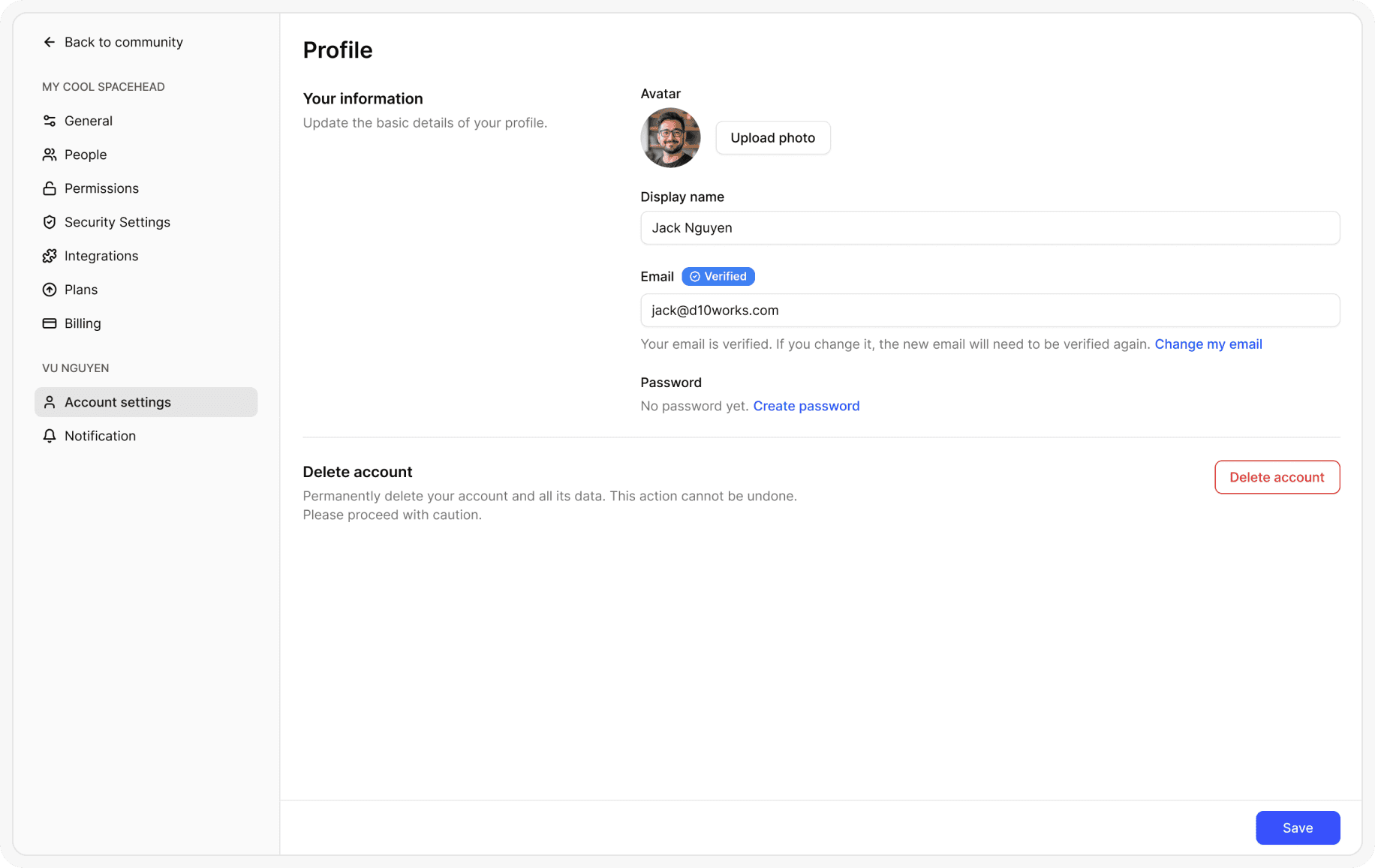
From your header bar, go to Avatar > Account settings
From the Account settings page, update your Avatar or Display name
Click Save
Change your HappyIO account email
Your account email is the email address that you used to sign up for HappyIO. Use this email address to log in to your HappyIO account.
To change the email address that you use to log in to your HappyIO workspace, you need to update your HappyIO account email. Your email address is updated for all the communities that are linked to your HappyIO account.
Steps
From your header bar, go to Avatar > Account settings
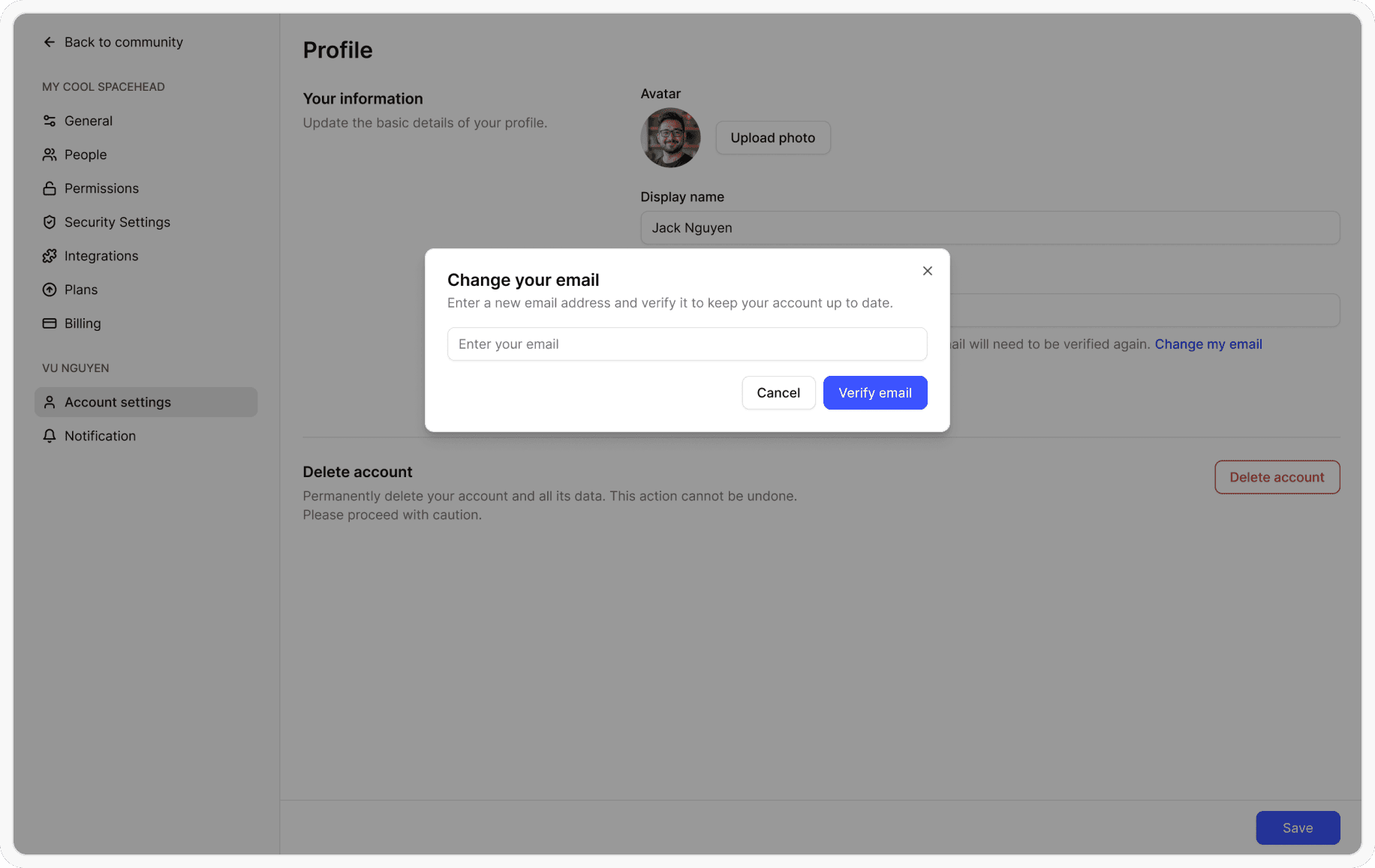
From the Account settings page, click Change my email
Click Verify email to verify your new email before changing
Go to your mail box and verify your new email
Change your account password
Updating your password regularly is important for keeping your account secure. HappyIO allows you to update your password at any time.
Since you can be a member of multiple communities using the same HappyIO account, any changes you make to your account password will reflect across all communities you are a member of.
Steps
From your header bar, go to Avatar > Account settings
From the Account settings page, make changes
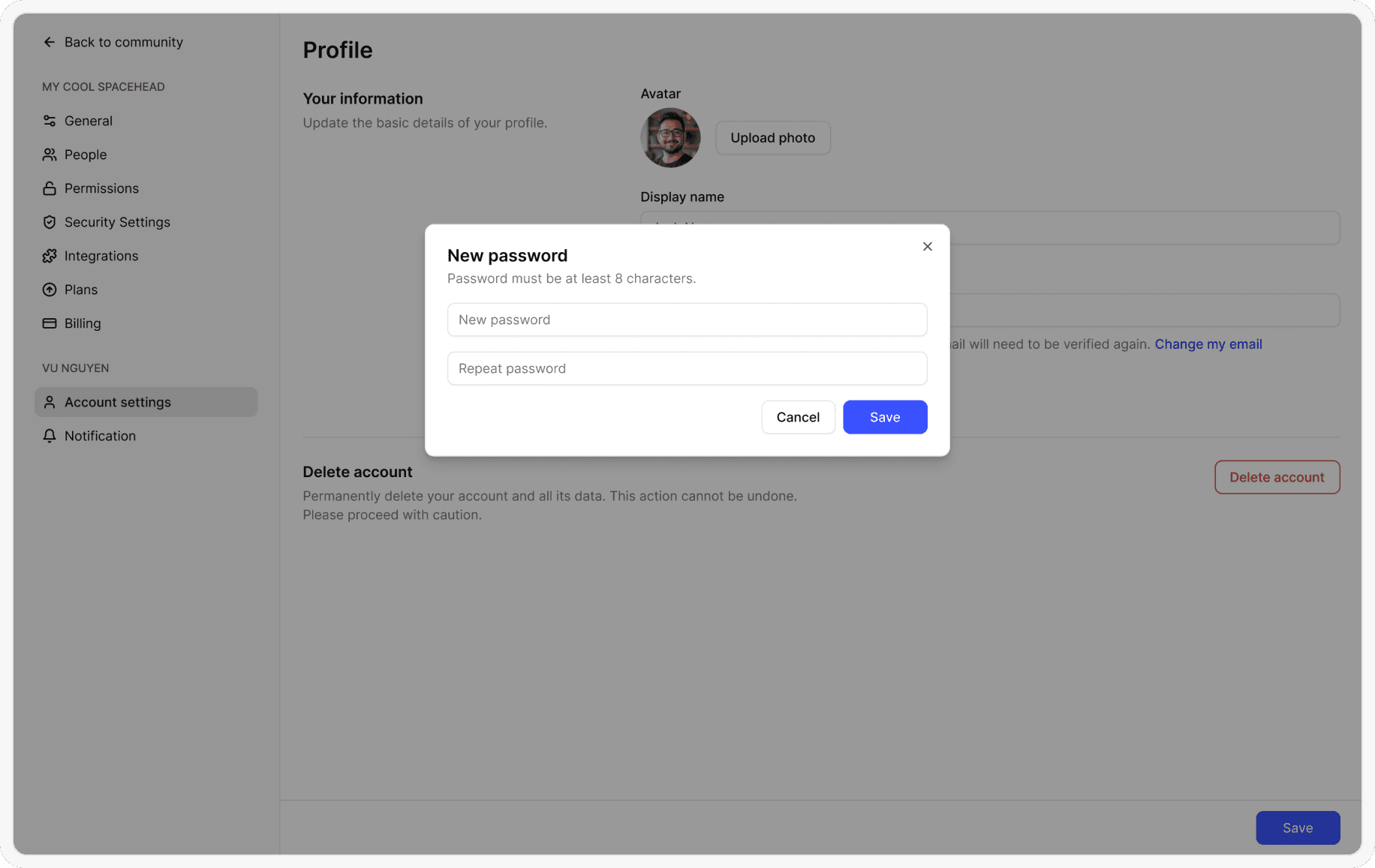
If you use single sign-on (SSO) to sign up to your community, click Create password to create a new password for your account
If you use a password to sign up to your community, click Change password
Enter a new password and repeat
Click Save
Reset your password
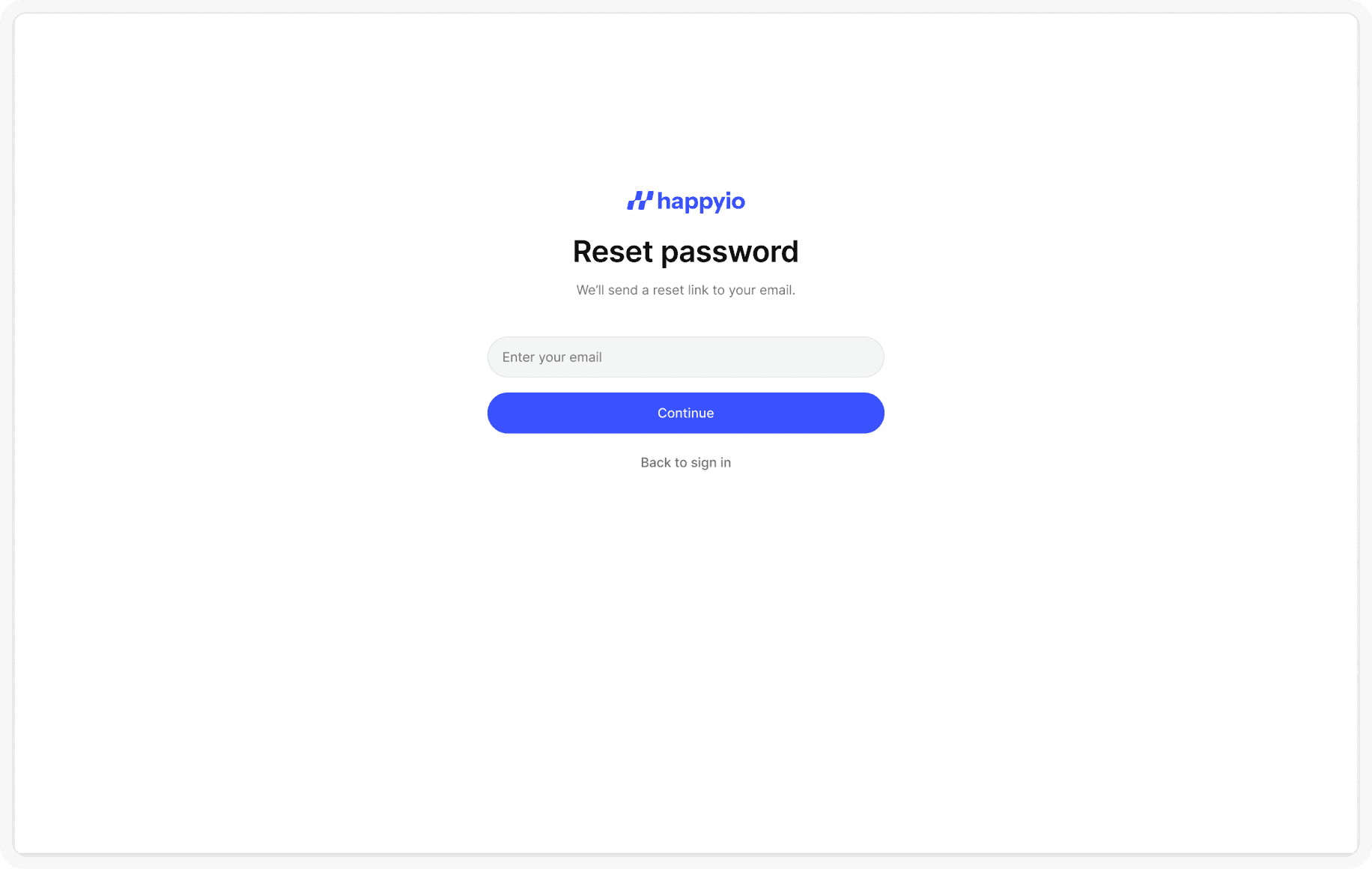
If you forgot your password and are logged out of your account, then you can reset your password. You'll need access to the email address on your HappyIO account to reset your password.
Steps
From the HappyIO [login page], click Forgot password
Enter the email that you used to create your HappyIO account.
Click Continue
You're sent an email with a link to reset your password. In the email, click Reset password.
Enter your new password and repeat
Click Continue
Return to your HappyIO login page and log in with your new password