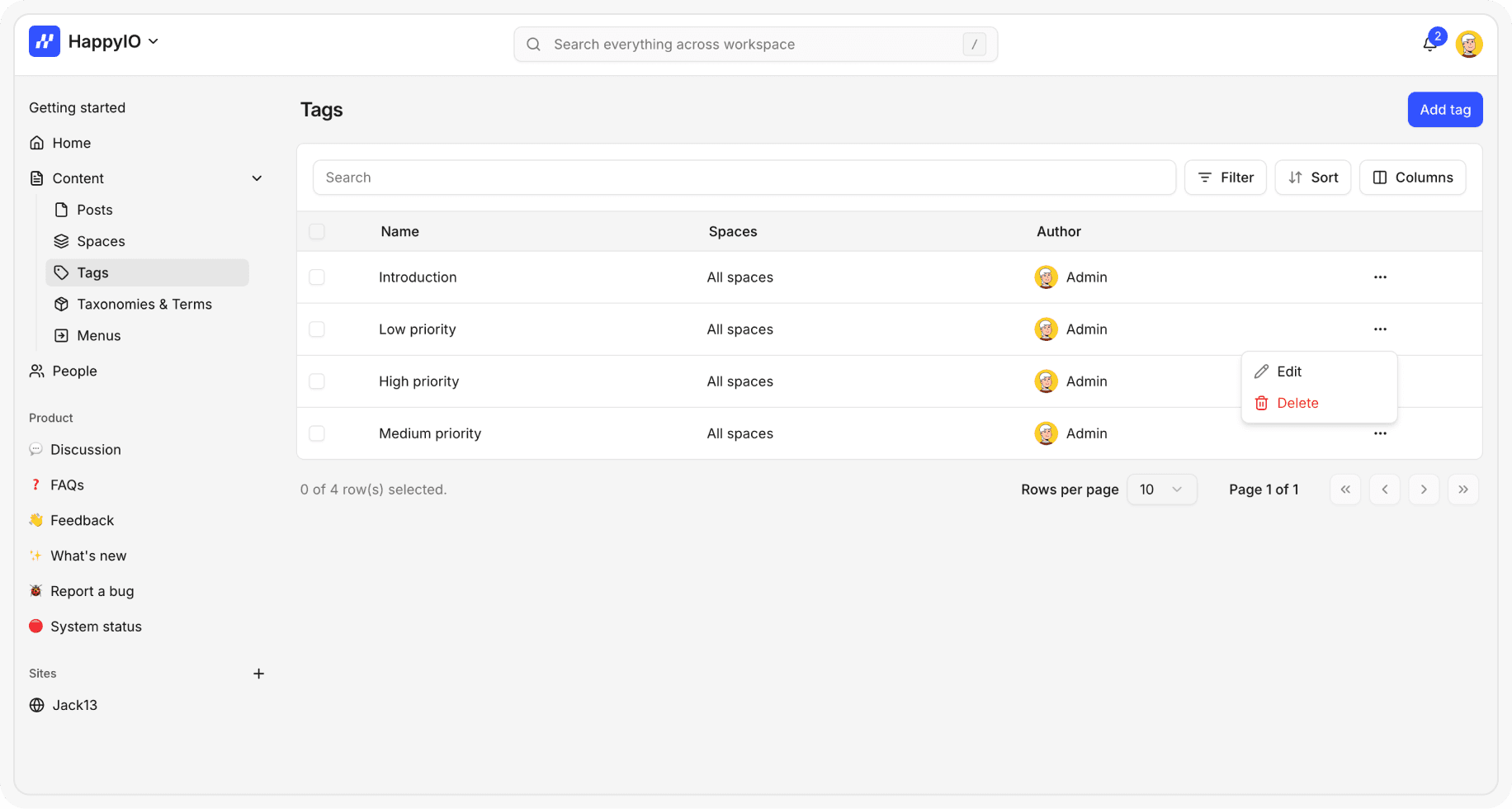
Tags
Tags help you organize posts across your community spaces. They work like labels you can attach to posts, making it easier for members to find related content and for your team to manage feedback, ideas, and updates.
Staff and members can add tags to posts.
Only staff (Owner, Admin, Contributor) can create, edit, or delete tags.
Members can only select from the tags already available in the [form customization] of space.
Use tags to add context, group similar ideas, and keep your community content organized.
Add a new tag
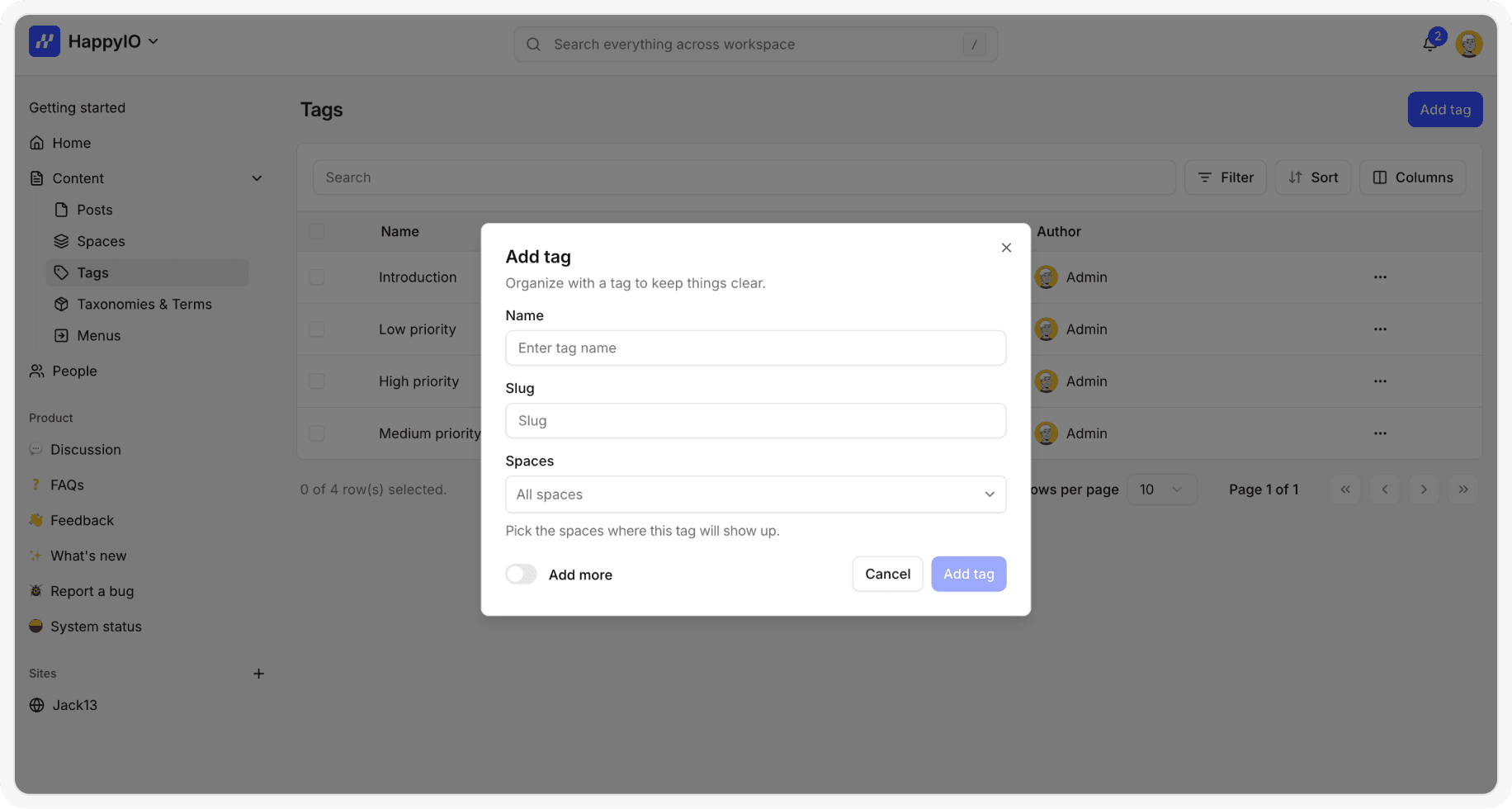
You can add a new tag to workspace and assign it to 1 or multiple spaces.
Steps
From your HappyIO workspace, go to Content > Tags
From the Tags page, click Add tag
Enter a name for your tag and select any spaces that you want to add
Click Add tag
Edit a tag
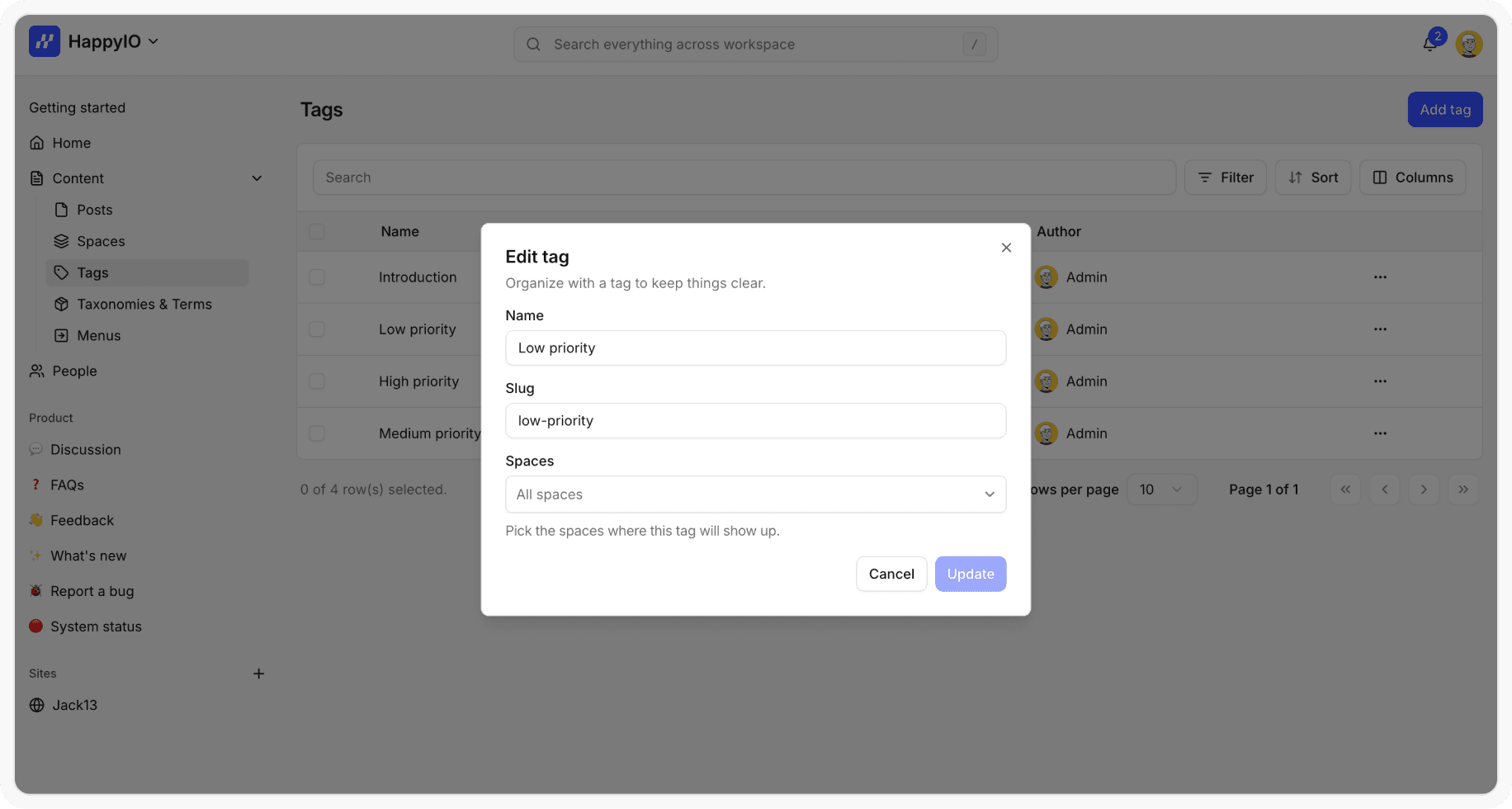
Editing a tag will update it on all posts where it’s used.
Steps
From your HappyIO workspace, go to Content > Tags
From the Tags page, click the name of the tag that you want to edit
Modify the tag information
Click Save
Delete a tag
Deleting a tag will not delete the posts that use it. The tag will simply be removed from those posts and its associated spaces.
Steps
From your HappyIO workspace, go to Content > Tags
On a row of the tag that you want to delete, click the [...] icon
Click Delete
In the confirmation popup, click Confirm