HappyIO homepage
The Home page of the HappyIO admin displays real-time metrics such as members and activities, as well as task reminders and growth tips for your community.
HappyIO Home highlights urgent actions or events, such as unread posts that still need to be responded to. Click any of the actions to be directed to the appropriate page.
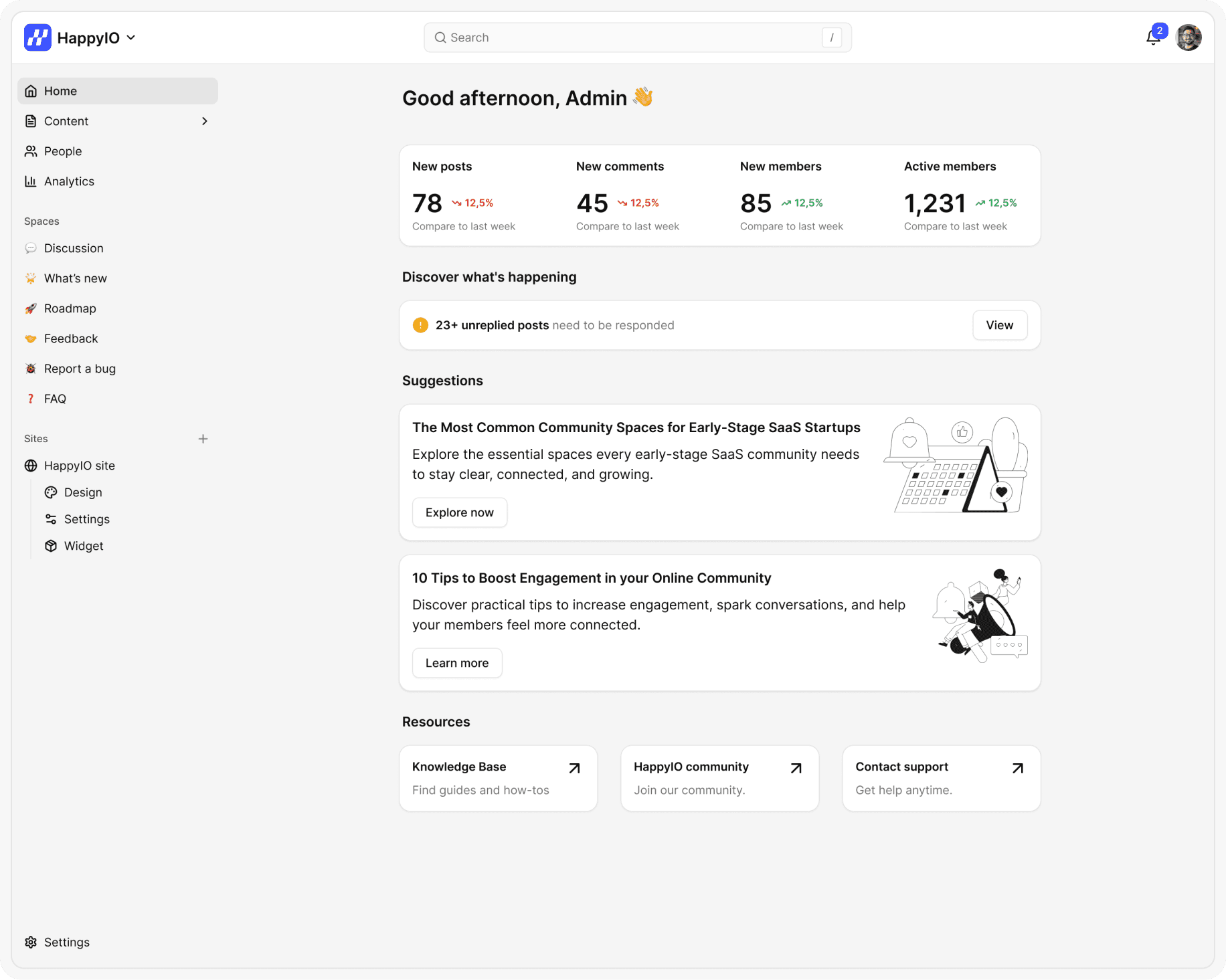
Metrics on Home
The Home metrics section displays an activities summary for your overall communities. By default, Home metrics display the following metrics for the last 7 days for all public sites:
New posts – number of new posts created recently.
New comments – number of comments left by members.
New members – how many new users have joined your community.
Active members – how many members are actively participating.
Each metric shows a trend percentage (up or down) compared to the previous period, helping you track growth or engagement changes over time.
Daily tasks
Any open tasks are displayed organized by task, with the number of each task that needs to be completed. Examples of daily tasks include the following actions:
Check an unread post
Review a reported post
Review stale posts (no longer update status)
Click the related actions to quickly jump into the items that need attention. Clear these items regularly to keep your community responsive and trustworthy.
Insights on Home
The Insight cards can contain the following types of information:
Updates on new HappyIO features that are remarkable
Advice on how to get the most out of HappyIO.
Guides for recommended tasks you can take that can help you to achieve a high-level outcome for your community, such as higher members or improved engagement.
We recommend you should check this section often — it includes tools and best practices that can help you save time and boost results.
Resources
This is where you can find quick access to helpful links:
Knowledge Base – step-by-step guides and how-tos
HappyIO Community – connect with admins and other members
Contact Support – reach out to our team for any help or issues