Workspace
Overview
Workspace is the central hub for managing all aspects of the Community. It provides access to all the tools and features you need to run your community, including reviewing posts, managing members, analyzing community data, and customizing public sites.
Only Workspace Owner and Staff Members (Admins and Moderators) can access the HappyIO Workspace, but end-user Members and Guests can't.
Create a workspace
When you create a workspace, you become the workspace owner. You can change the workspace owner later.
Steps
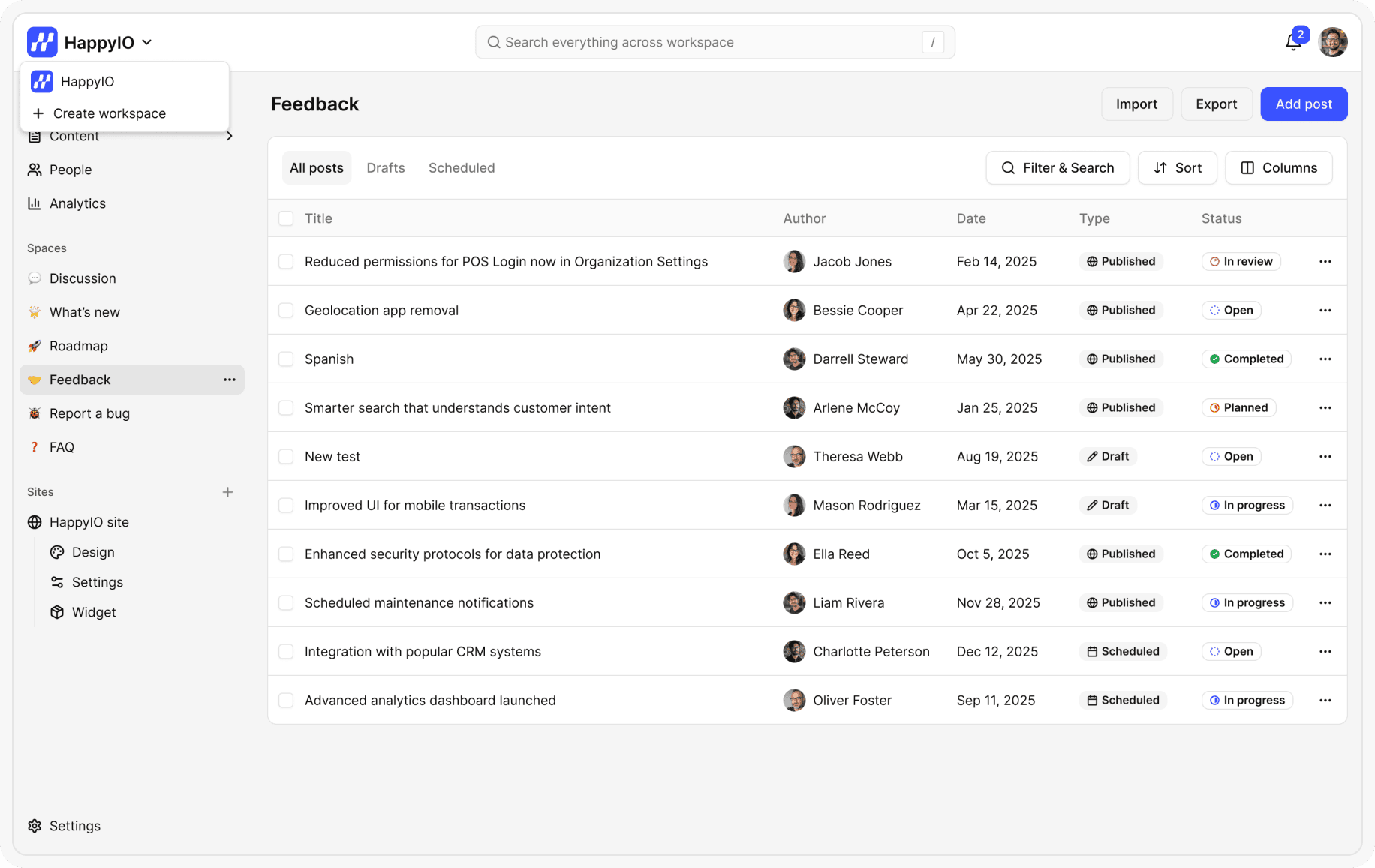
From your header bar, click the current Workspace name
On workspace listing, click Create workspace
Enter a name for your workspace
Click Create workspace
Note
Each workspace will have its own subdomain, public sites, spaces, admin team, etc.
Workspaces are billed separately.
Change workspace information
Only Workspace Owner and Admins can access Workspace settings to change the workspace information.
Steps
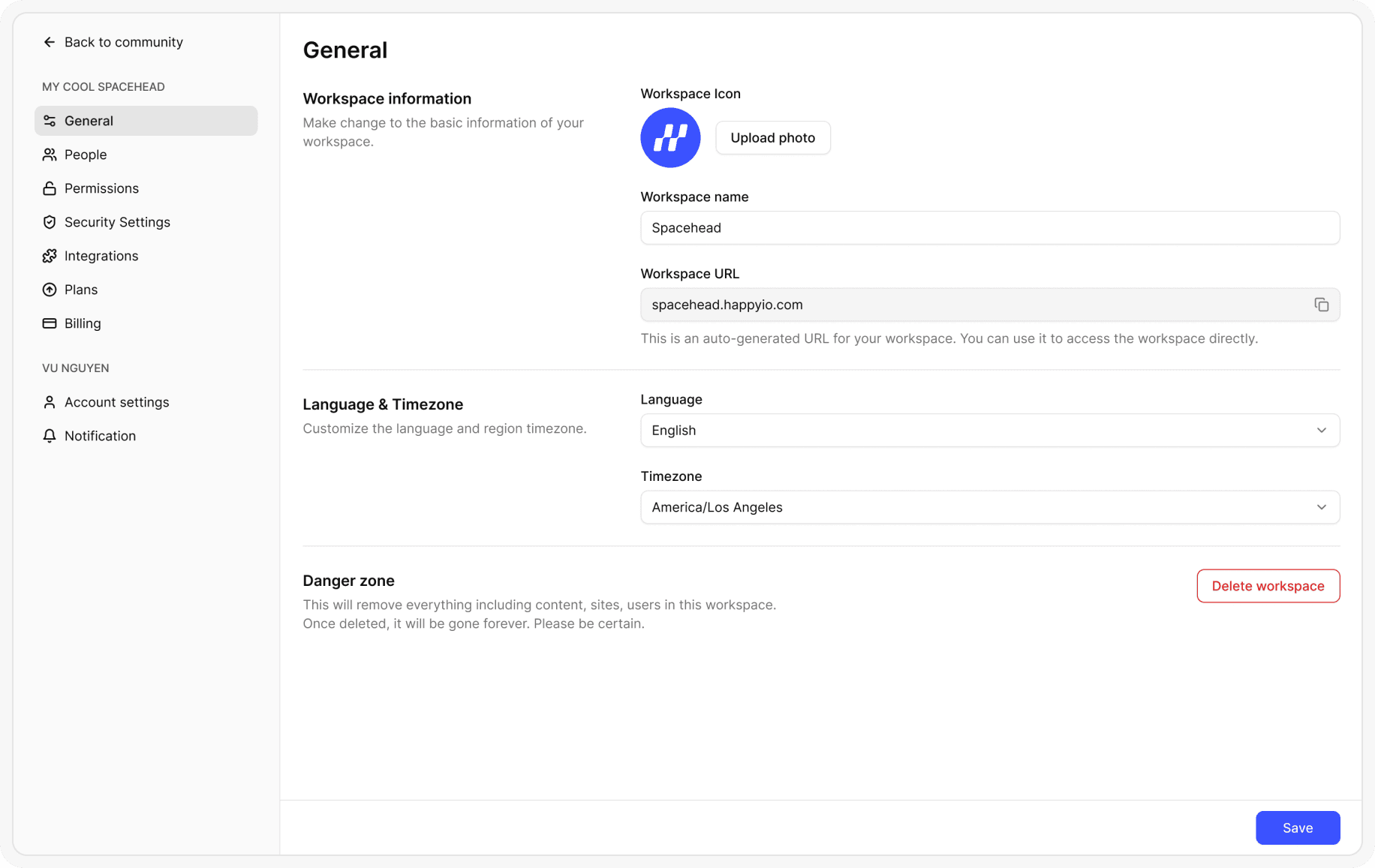
From your workspace, go to Settings > General
From the General page, upload a photo to change the Workspace Icon or edit the Workspace Name
Click Save
Delete a workspace
Only Workspace Owner can delete a workspace.
Steps
From your workspace, go to Settings > General
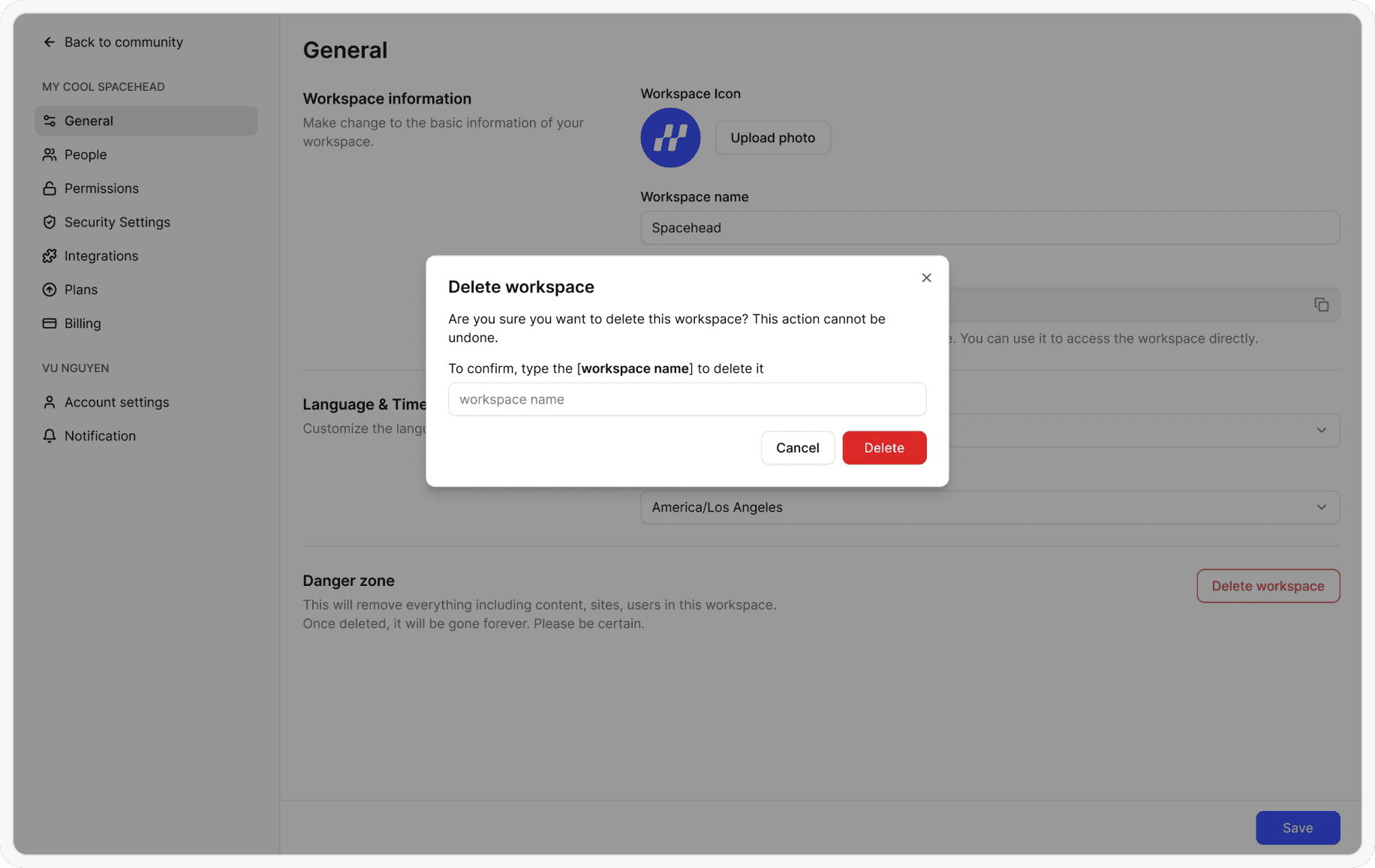
From the General page, click Delete workspace
In the confirmation popup, click Confirm
Note
Deleting a workspace is a dangerous action and cannot be undone.
All workspace content and data will be lost after the deletion.