Getting started check list
This guide will walk you through the essential steps to set up your workspace and launch your community at the first time.
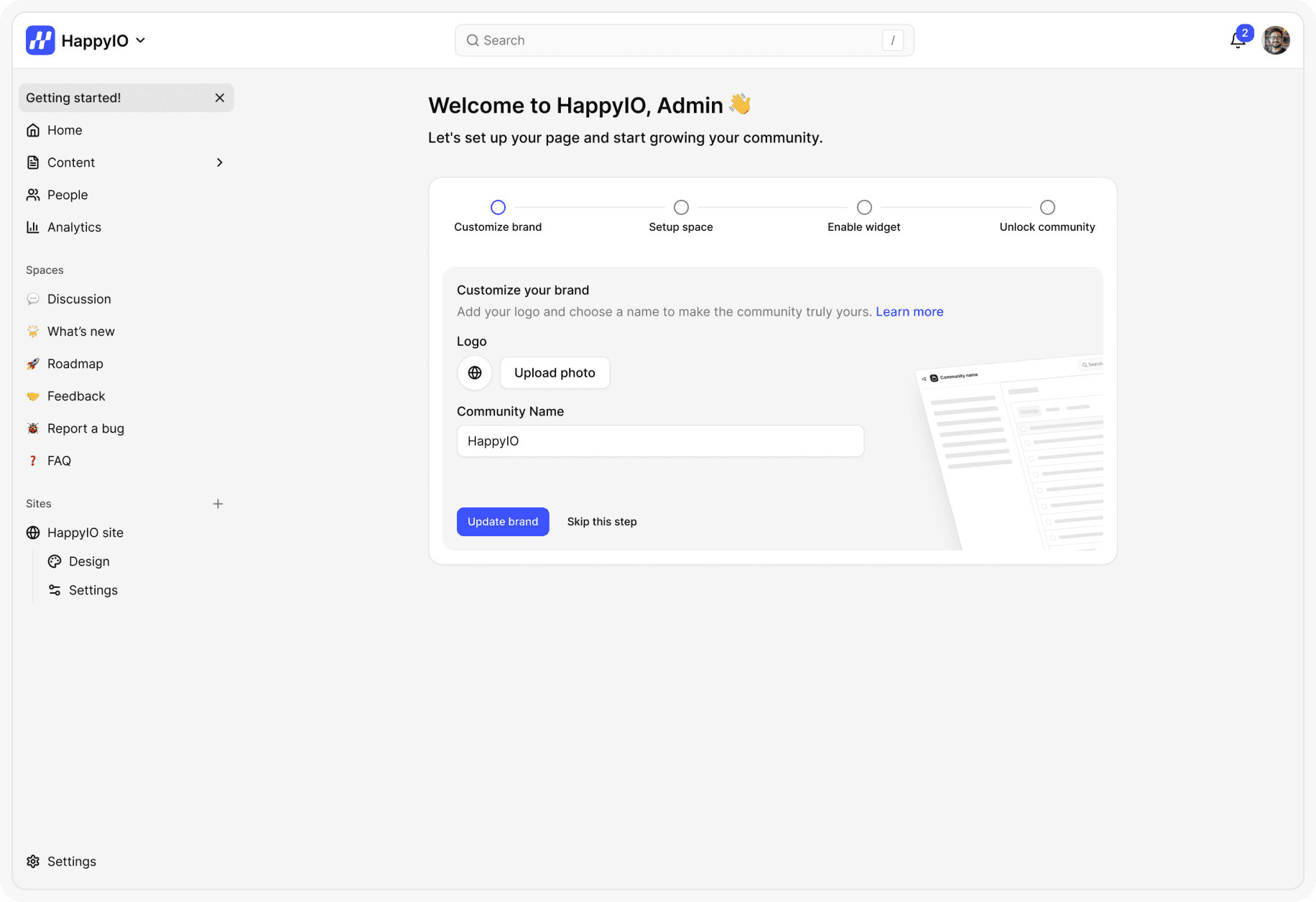
Customize your brand
Review your branding logo and community name that is familiar to your members to help them recognize and trust your site. You can always make more customizations later in your public site settings. Learn more about Customize public site.
Steps
From your workspace, go to Getting started > Customize brand
Upload your logo (recommended size: 200x200px, PNG or JPG)
Update your community name (this will appear on your site header)
Click Update
Set up your spaces
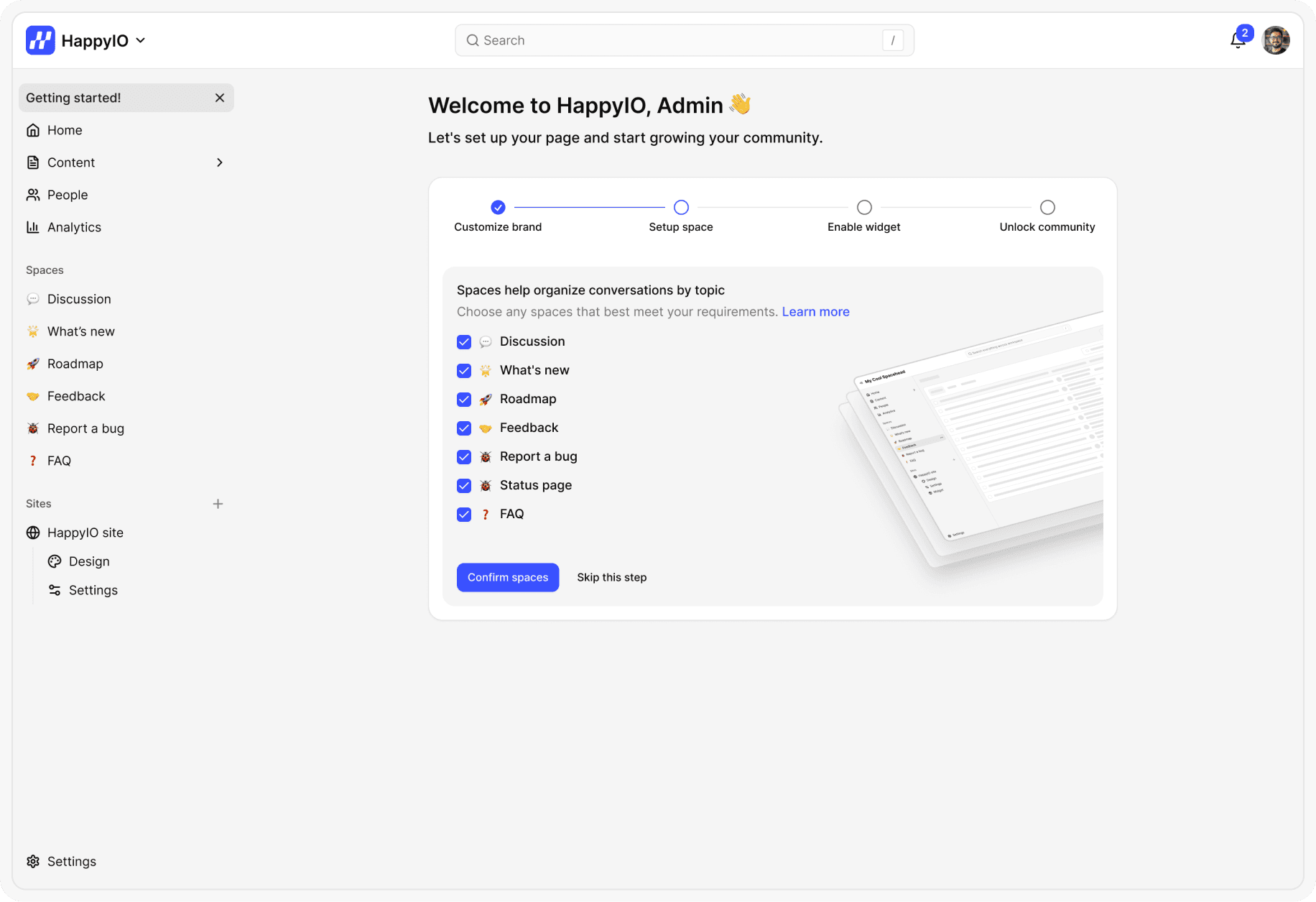
By default, when you create a new workspace, there are some spaces tailored for a SAAS or digital product. You can choose which one meets your requirements and make them public on your public sites. Learn more about Spaces.
Steps
From your workspace, go to Getting started > Setup spaces
Review and Check or Uncheck on the checkboxes of spaces that match your needs
Click Confirm
Note
You can rename or hide spaces anytime.
Spaces are pre-configured for SaaS and digital products. For most teams, we suggest keeping all of them.
Enable your widget
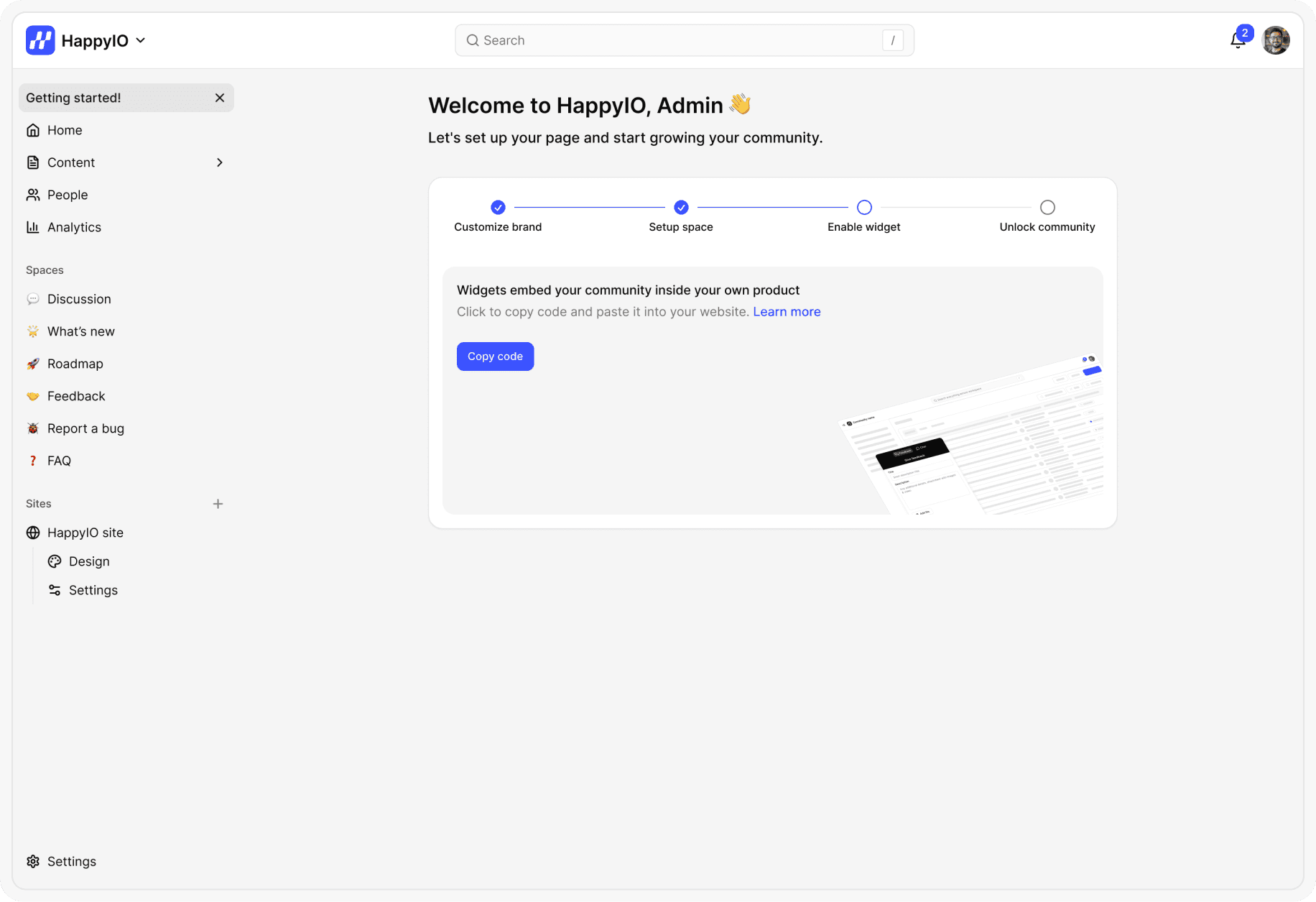
Widgets let you embed your HappyIO community directly into your app or website. They make it easy for users to share feedback, view your roadmap, read changelogs, or check status updates without leaving your product. With HappyIO widgets, you can even embed your chat tool—bringing conversations and community together in one place. Learn more about Widget.
Steps
From your workspace, go to Getting started > Enable widget
Click Copy code
Paste the code anywhere inside the <body> tag on your site.
Unlock your community
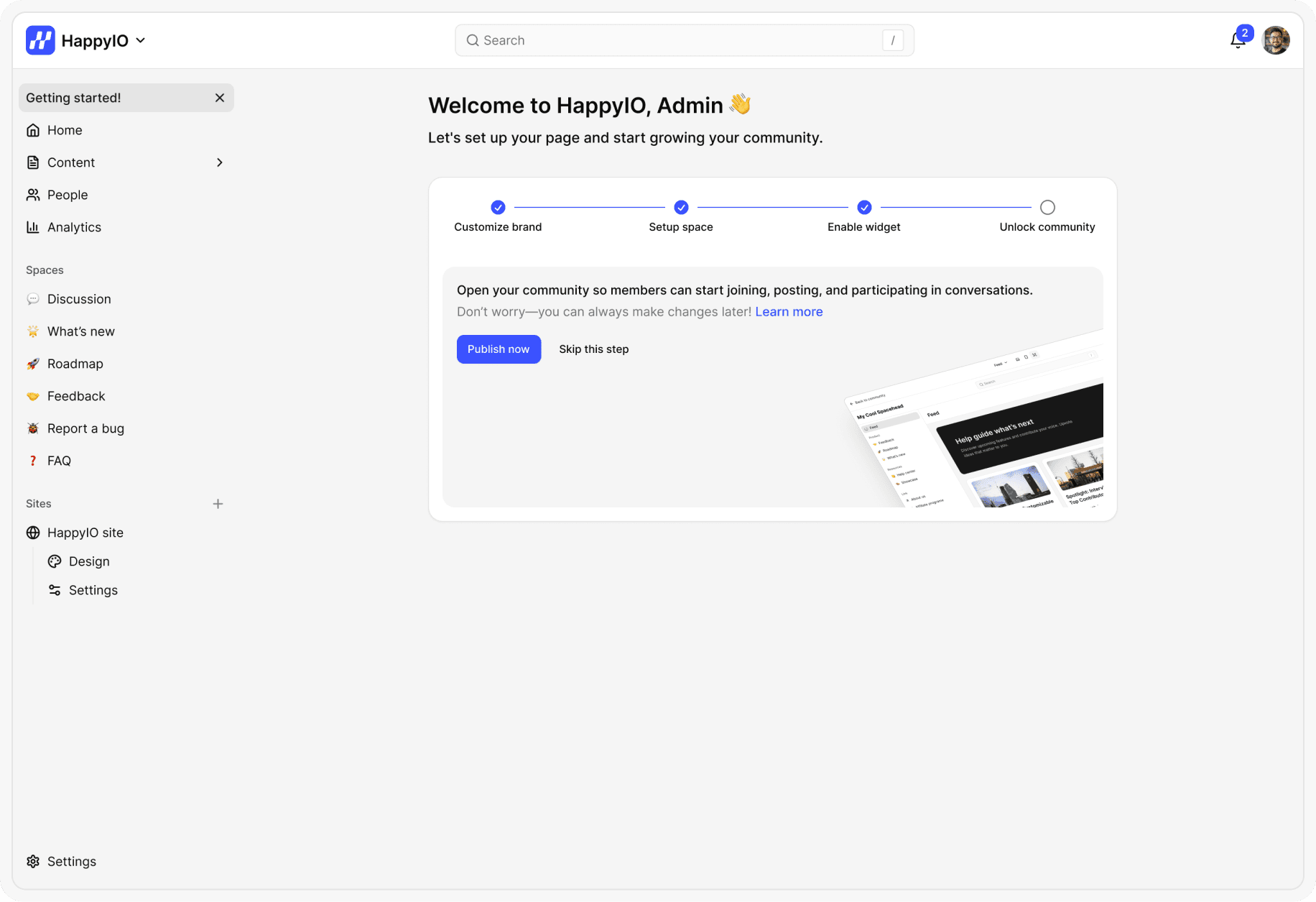
Publishing your community makes it accessible to your members. Once published, people can join, explore spaces, read posts, and start contributing. Learn more about Public site
Steps
From your workspace, go to Getting started > Unlock community
Click Publish now
You can now view your community and start creating posts. Share your community with members so they can join and contribute to your product’s growth.