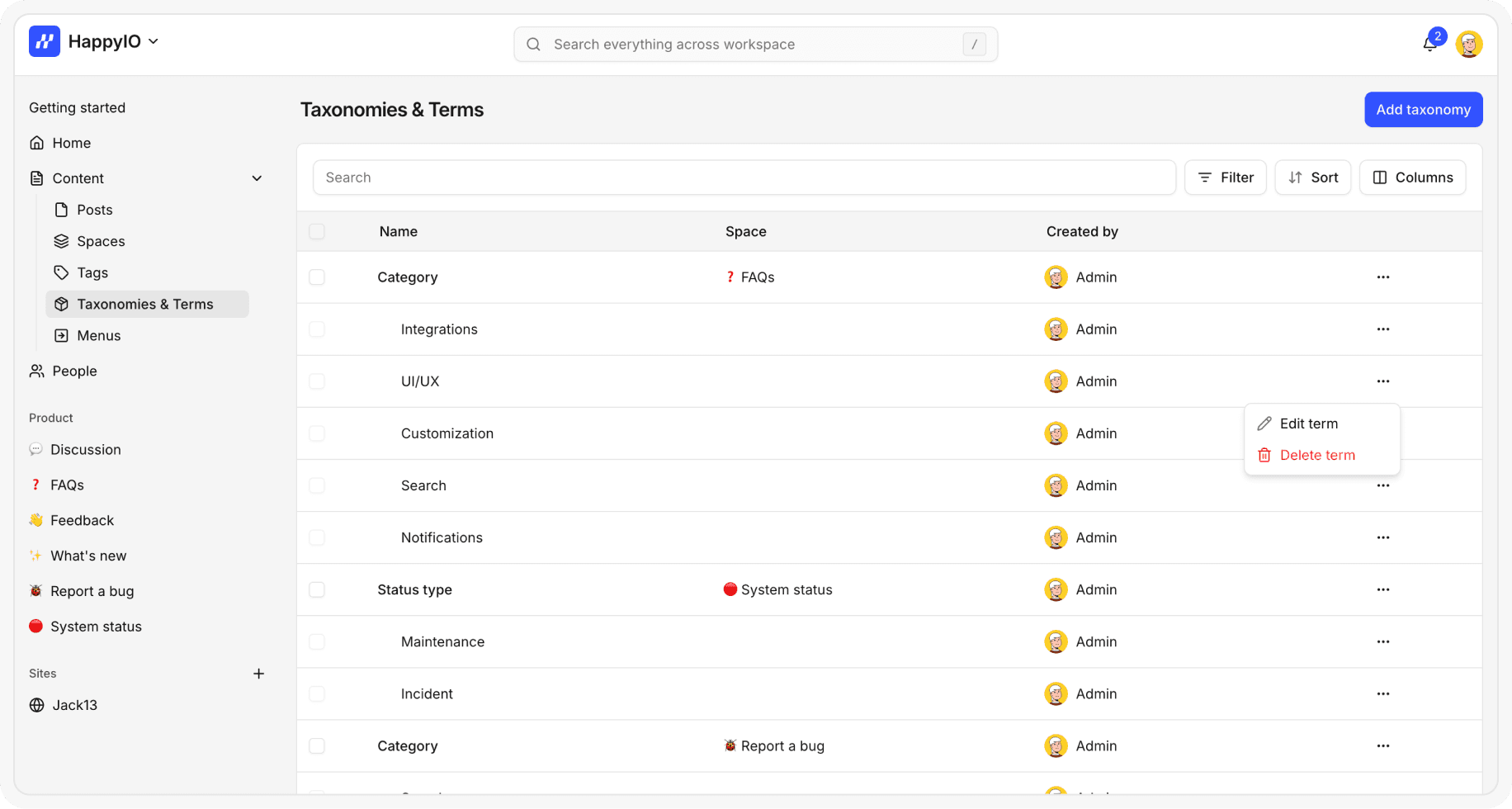
Taxonomies & Terms
Taxonomies are a way to group and organize posts across spaces by structured categories such as topics, product areas, or types.
Each taxonomy is made up of terms—the specific labels you assign to posts (for example, a “Platform” taxonomy might have terms like Web, iOS, Android).
Staff can create, edit, and delete taxonomies and terms.
Members can only select from the taxonomies and terms already available in the [form customization] of space
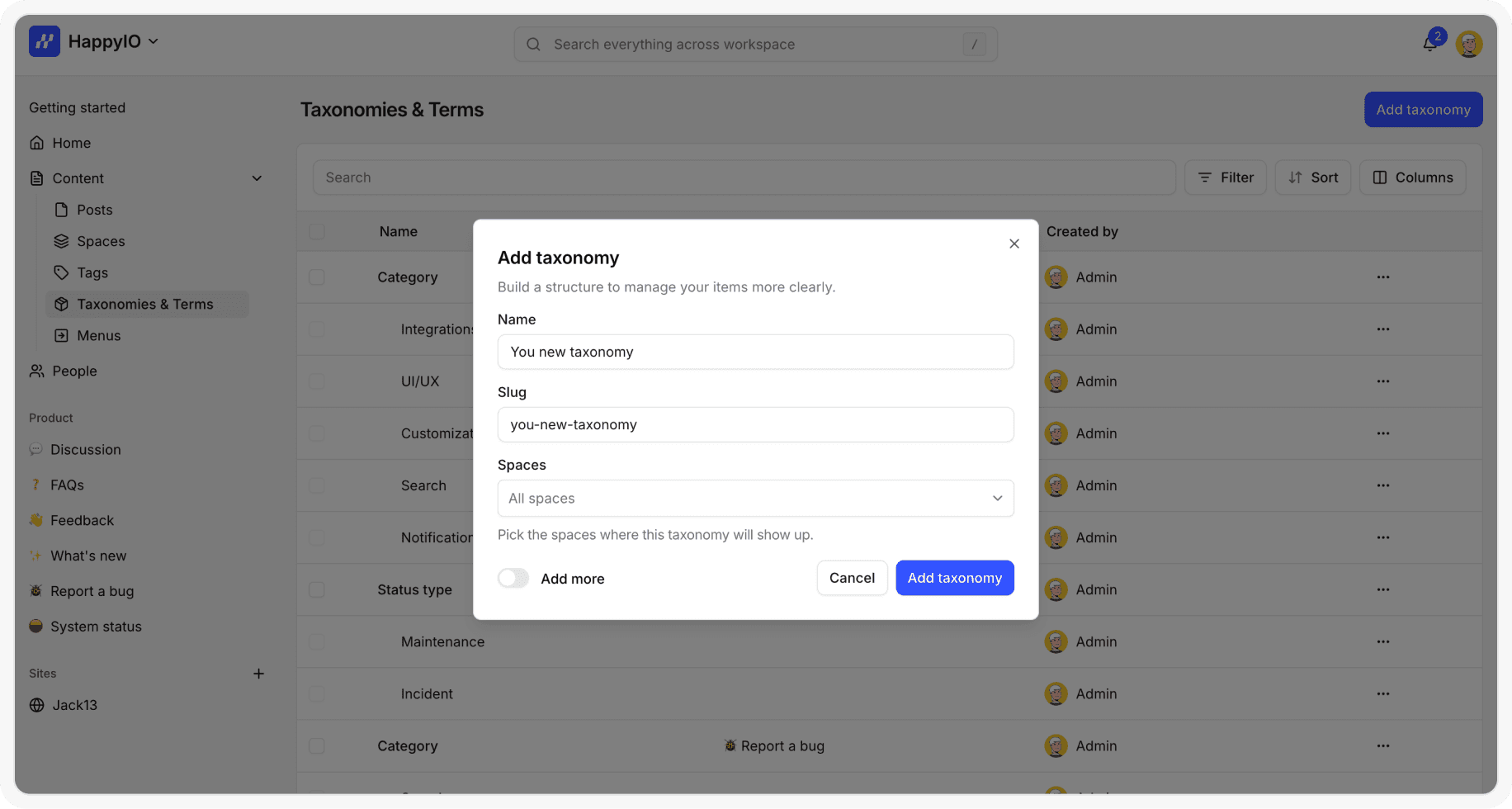
Add a new taxonomy
You can add a new taxonomy to workspace and assign it to 1 or multiple spaces.
Steps
From your HappyIO workspace, go to Content > Taxonomy
From the Taxonomy page, click Add taxonomy
Enter a name for your taxonomy and select any spaces that you want to add
Click Add taxonomy
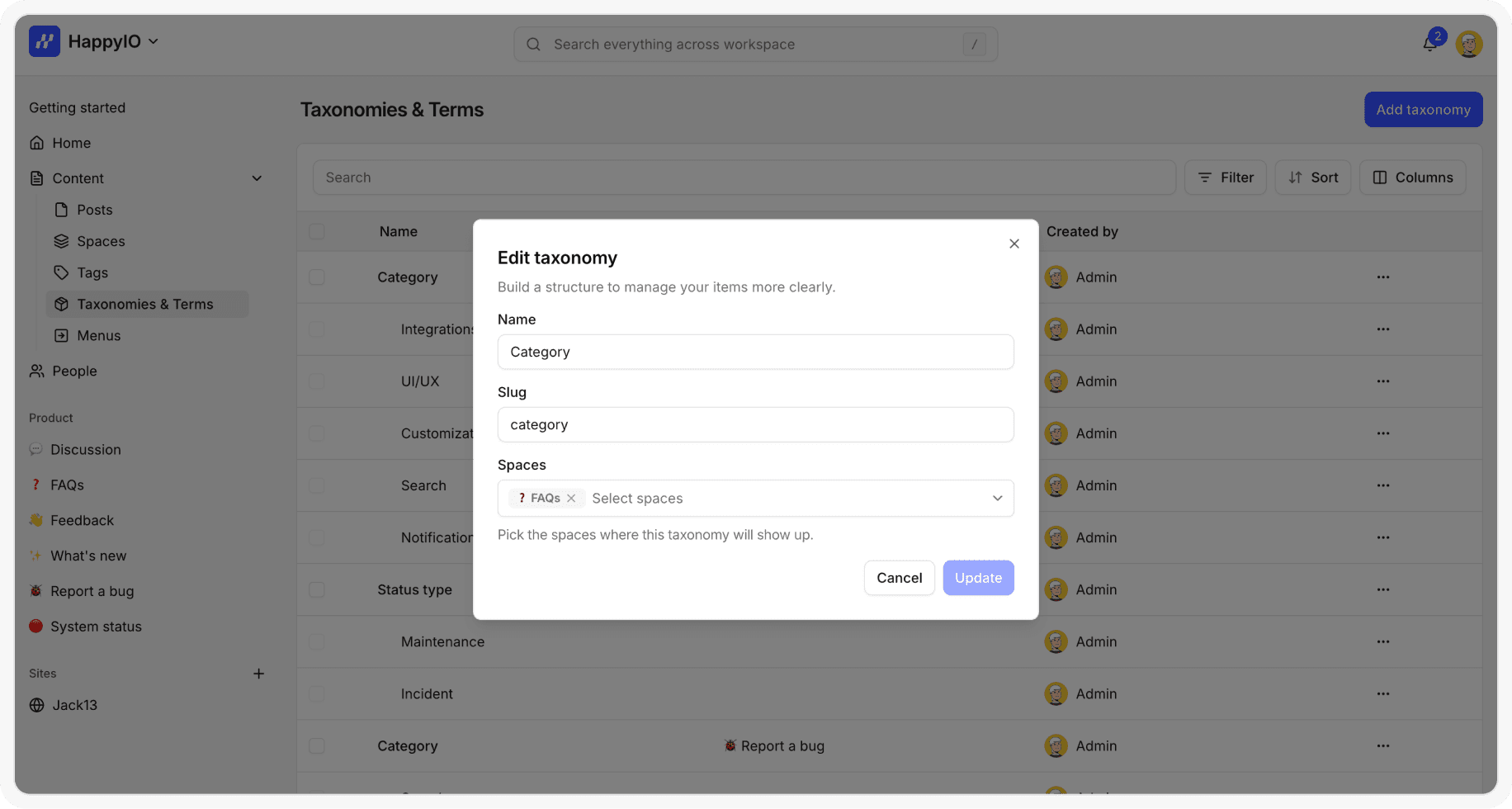
Edit a taxonomy
Editing a taxonomy will update it on all posts where it’s used.
Steps
From your HappyIO workspace, go to Content > Taxonomy
From the Taxonomy page, click the name of the taxonomy that you want to edit
Modify the taxonomy information
Click Save
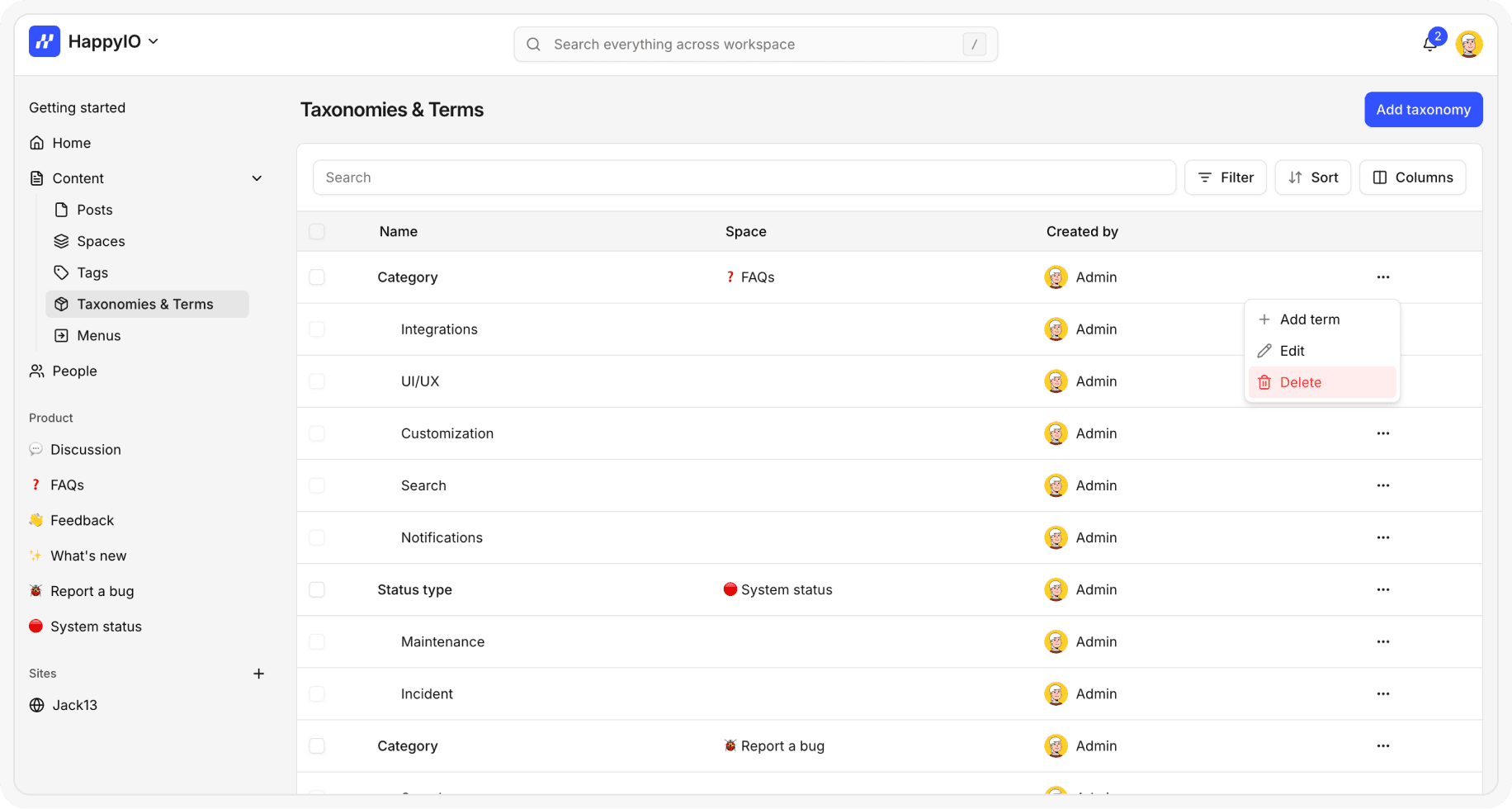
Delete a taxonomy
Deleting a taxonomy will not delete the posts that use it. However, all of its terms will also be deleted, and the taxonomy will be removed from any posts and spaces where it was applied.
Steps
From your HappyIO workspace, go to Content > Taxonomy
On a row of the taxonomy that you want to delete, click the [...] icon
Click Delete
In the confirmation popup, click Confirm
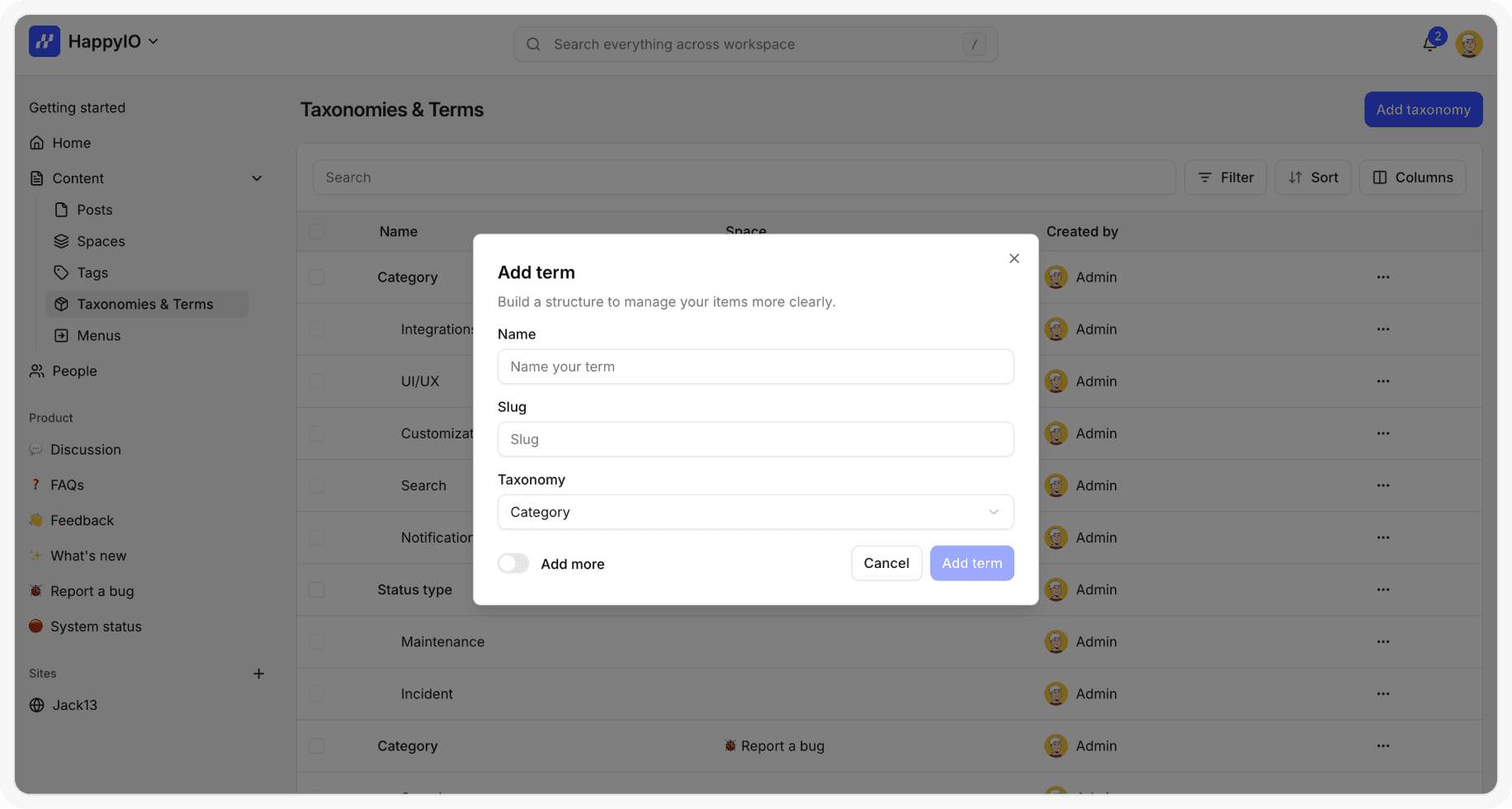
Add a new term
You can add a new term to a taxonomy.
Steps
From your HappyIO workspace, go to Content > Taxonomy
On a row of the taxonomy that you want to add a term, click the [...] icon
Click Add term
Enter a name for your term
You can deselect any space that you want to add this term
Click Add term
Edit a term
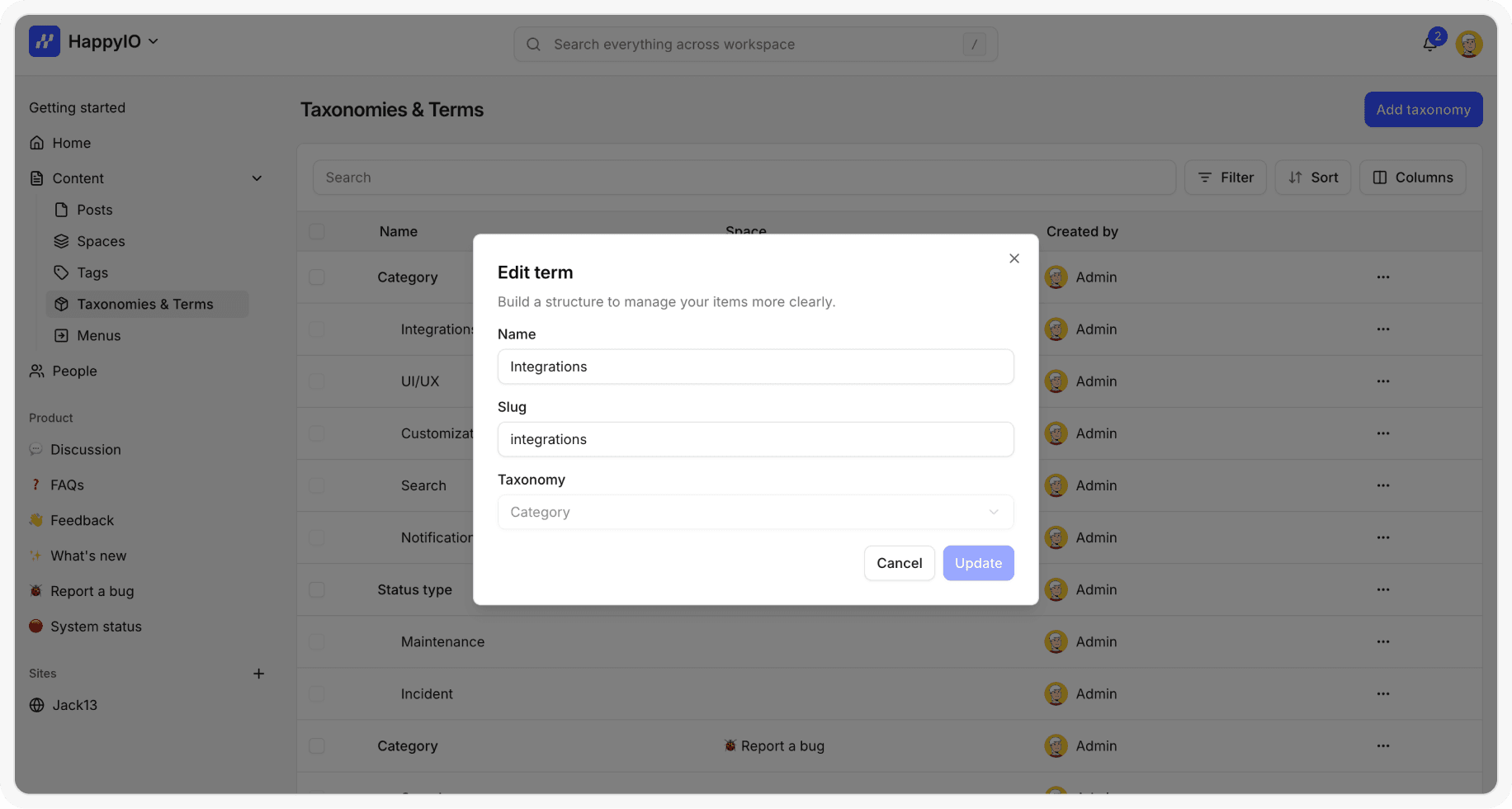
Editing a term will update it on all posts where it’s used.
Steps
From your HappyIO workspace, go to Content > Taxonomy
From the Taxonomy page, click the name of the term that you want to edit
Modify the term information
Click Save
Delete a term
Deleting a term will not delete the posts that use it.
Steps
From your HappyIO workspace, go to Content > Taxonomy
On a row of the term that you want to delete, click the [...] icon
Click Delete
In the confirmation popup, click Confirm